Diagnosing Slow Internet Performance - My Experience

I was experiencing slow internet speeds, so I started by running a speed test using my carrier's official app. As expected, the results were below the speeds included in my current plan. I reached out to my service provider for help, but the representative was unable to resolve the issue. So, I decided to inspect the router's settings myself.

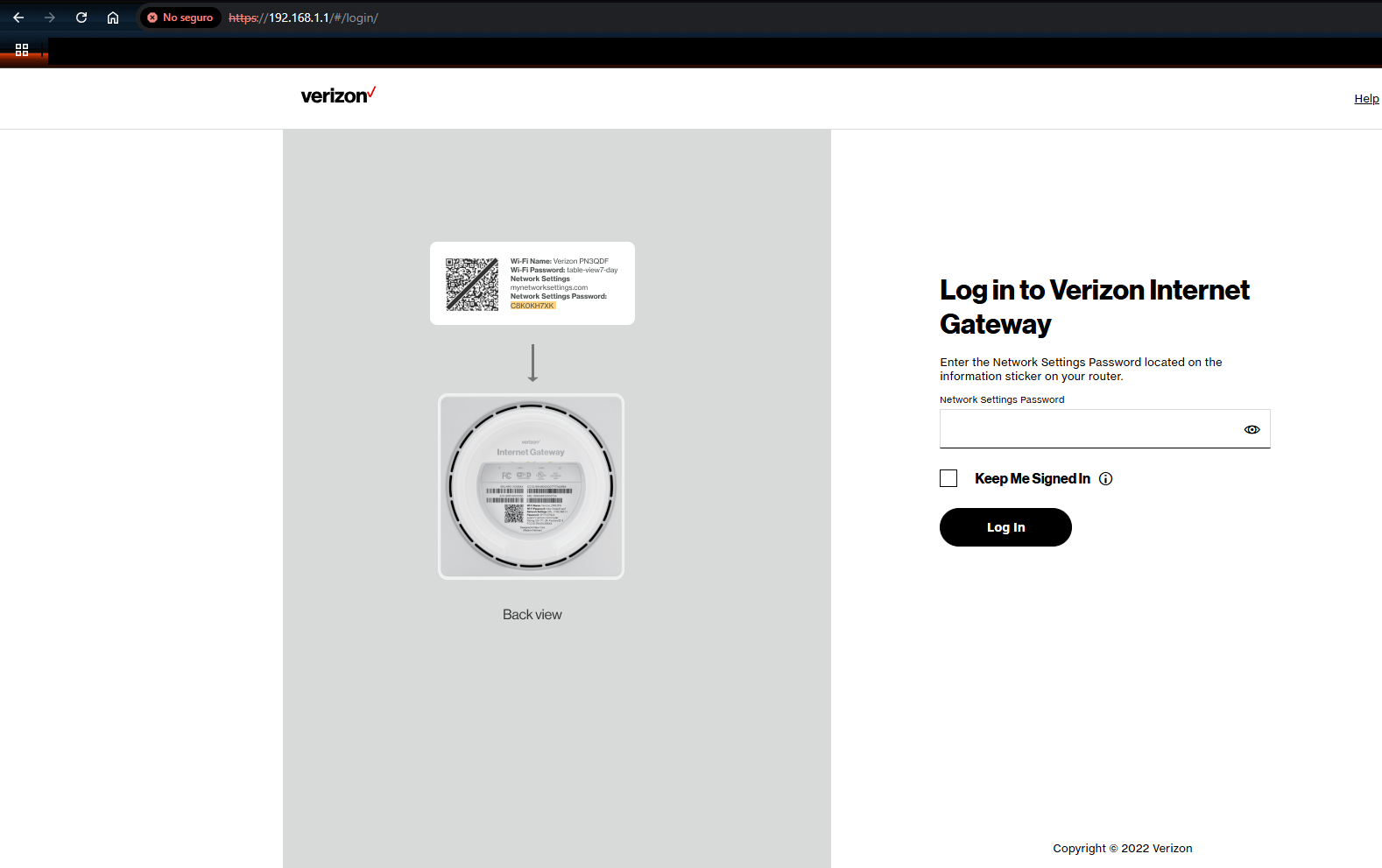
Most routers have a sticker on the bottom showing the URL (usually something like 192.168.0.1 or 192.168.1.1) used to access the web management interface.

When you first visit that URL, your browser will likely show a "Not Secure" warning page.

Why it's "Not Secure":

  • The connection uses HTTP, not HTTPS, since it's designed for local access only.
  • There's no SSL certificate, because local/private IPs can't have valid ones.
  • It's safe to proceed, if:

  • You're using your home Wi-Fi, not public networks like Starbucks.
  • You're not reusing the router admin password on other websites.
  • Tips for safety:

  • Change the default router password
  • Use a modern browser to help spot real threats.
  • If available, enable HTTPS access for the router's admin panel.
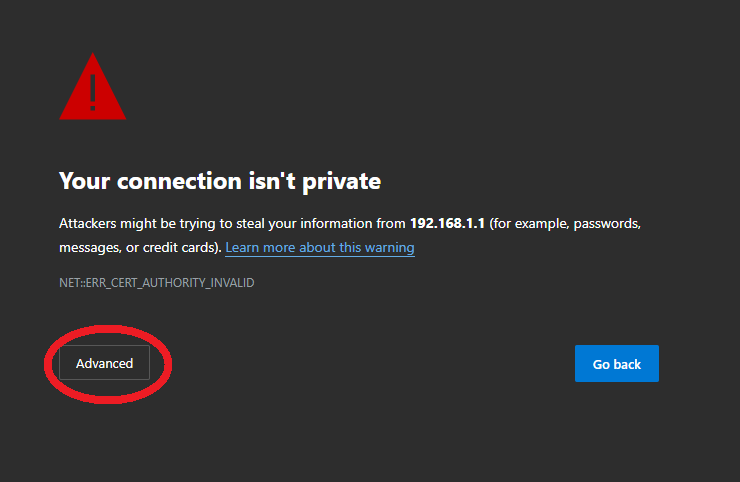
  • This is what the warning looks like, but it's safe to proceed if you're using your own secure network.

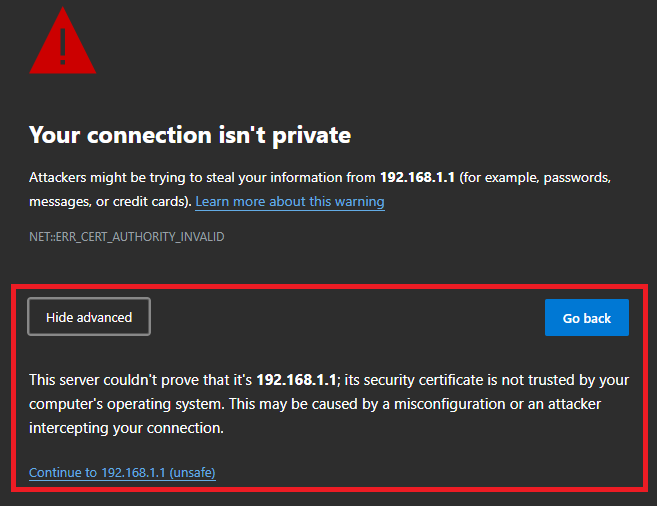
    Using your personal or your own modem connection click "Advance" and this would appear.

    To continue, click “Advanced” on the browser warning, then click “Continue to [router address] (unsafe)”.

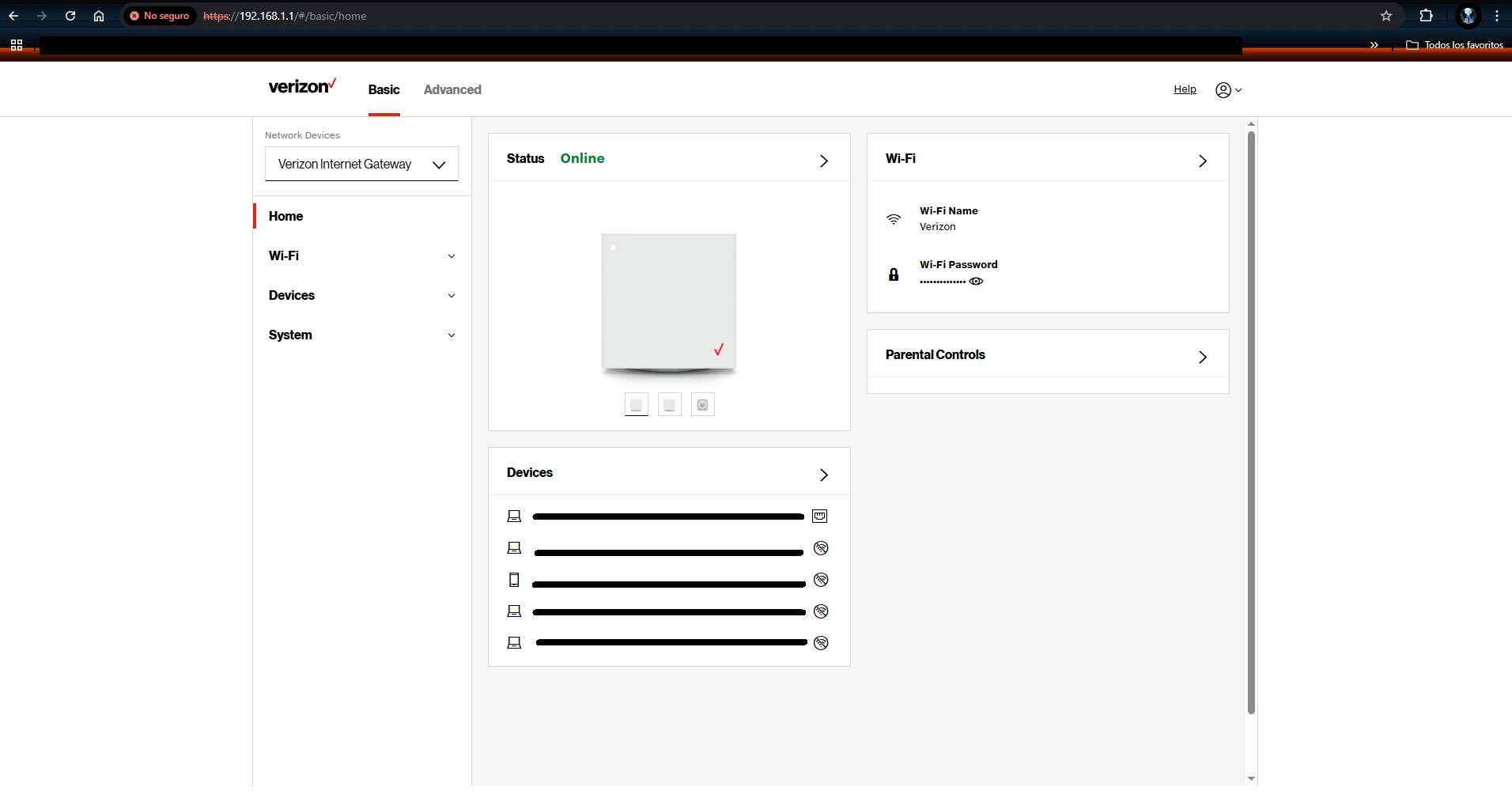
    The credential are in the bottom of you router as I said earlier, after using the password to access the admin settings of the modem it should look like this.

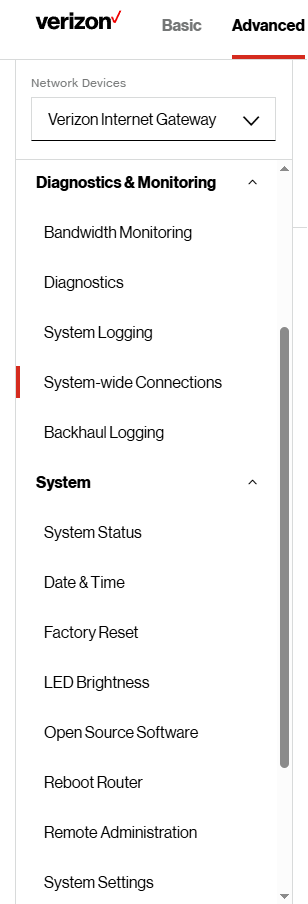
    Back to the problem in hand, here we can start Troubleshooting the router, most settings are in the advanced section of this page, most common errors can be fixed here:

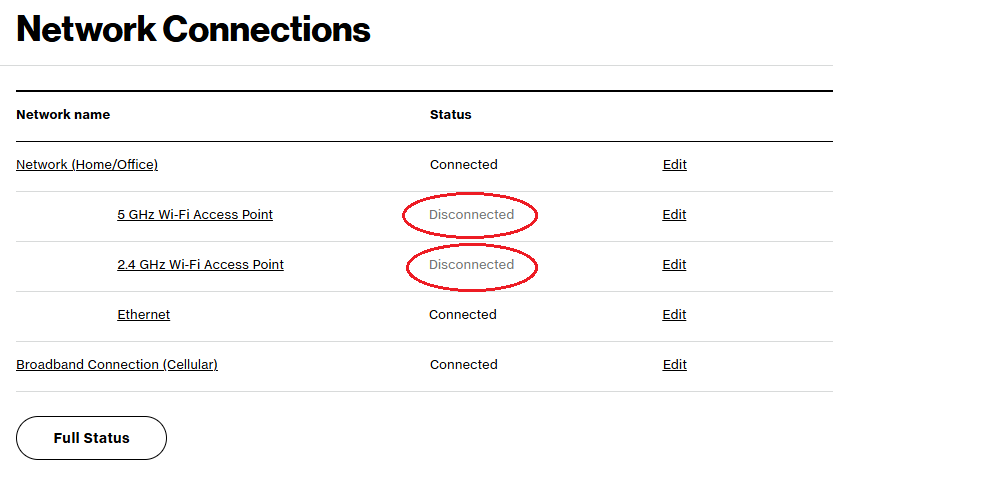
  • "System-wide Connections": Displays overall connection status. Check if your router is "Connected" or "Disconnected."
  • "System Status": comes in handy is a a simpler version of "System-wide Connections", useful for confirming your IPv4/IPv6 address, subnet mask, etc.
  • Some times when the modem resets it changes the "Date & Time" configuration, so just changing the "Time Zone" option in Localization can fix the issue.
  • "Factory Reset": Useful if you're facing frequent slowdowns, unauthorized devices connected to your network or you changed a setting option that it's giving you issues.
  • "Reboot Router": This is essentially a restart button. Most edits, additions, or deletions will only take effect after rebooting the router or modem. It also helps clear temporary glitches that may be affecting performance.
  • "System Setting": it may be one of the best settings in the admin page of the router, here you can change your router security login, Set a new password, how many unsuccessful login attempts, Session lifetime, Number of concurrent sessions at a time and Manage remote access.
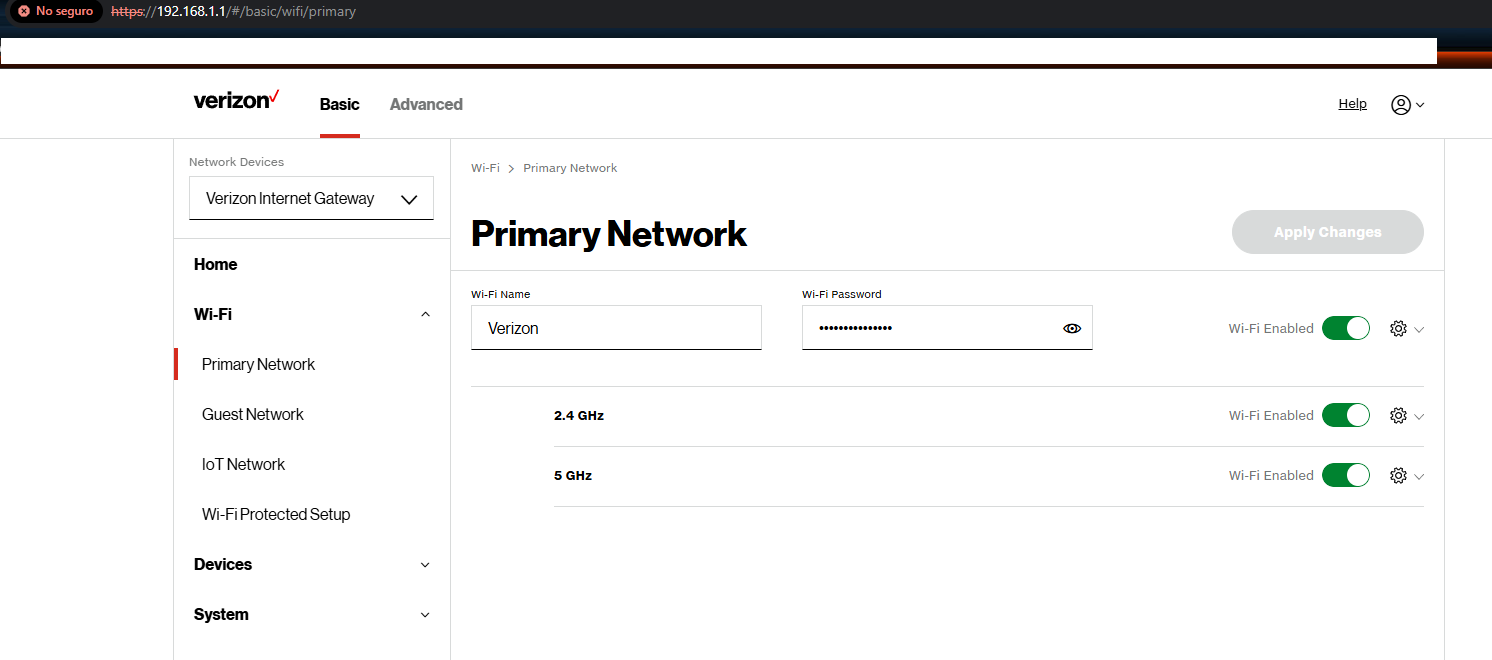
  • First step checking the Wifi Network:

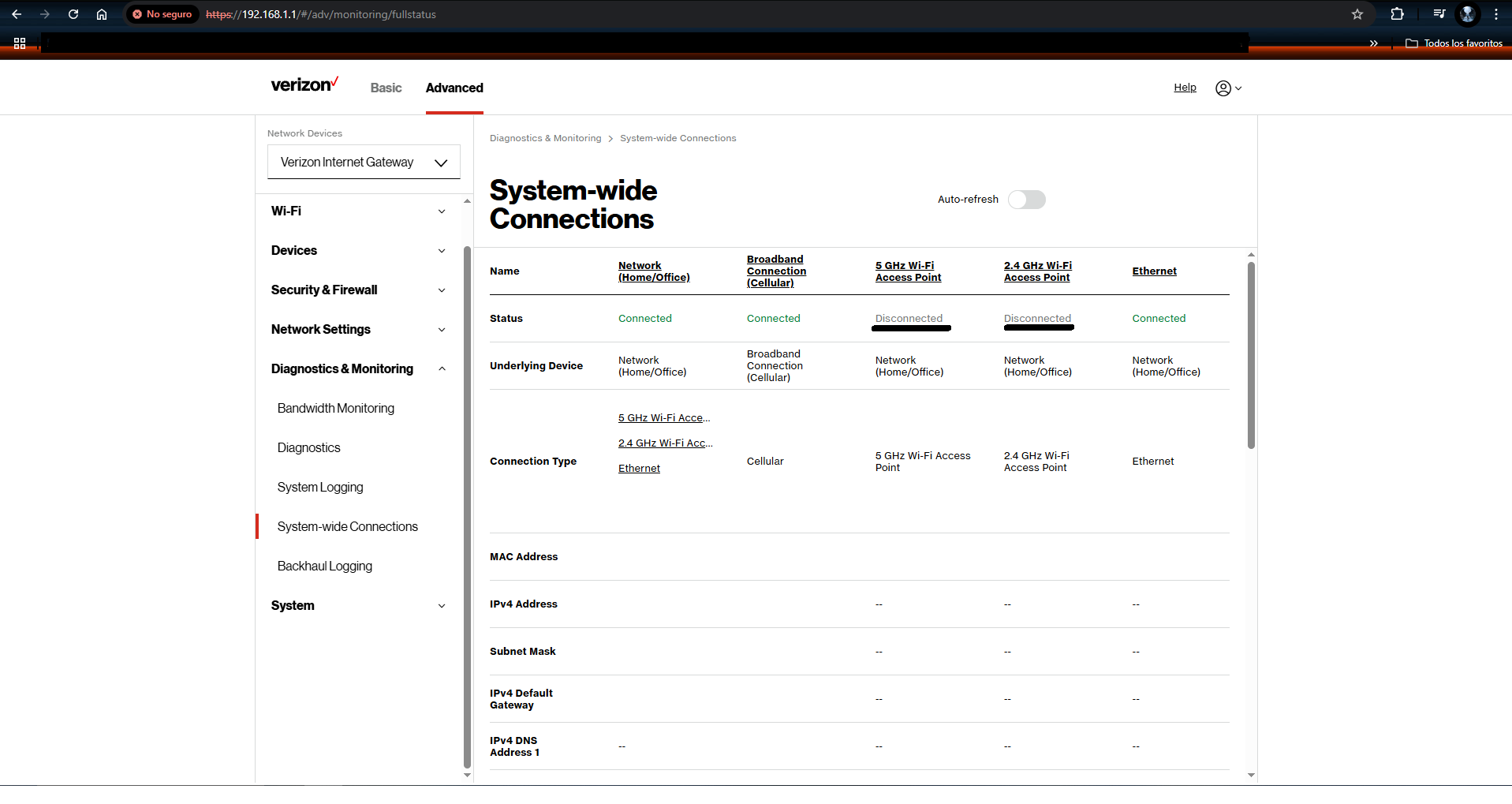
    Then, following the "System-wide Connection":

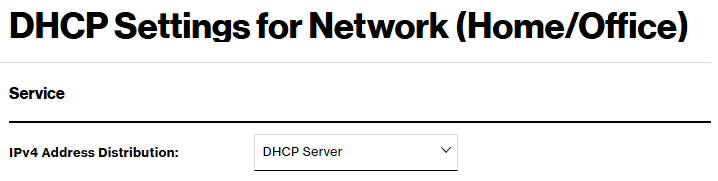
    Here i started to notice the problem, my router 5G and 2G access point are disconnected but the ethernet it's connected; I went back to check the DHCP Settings for Network(Home/Office) to make sure the IPv4 it's in DHCP Server and it was.

    I checked the "IP Address Distribution" setting, and it was also marked as disabled.

    At that point, it was clear the issue was on the provider's end they were not delivering the expected data transmission to the modem.

    But every option lead me to the same answer it was my provider that was unable to send the correct data transmision they were suppose to.

    I called my provider back. After explaining the situation to them, they checked and, as I suspected, the issue was a malfunction in my router.